Posts

Showing posts with the label Digital Photography & Imaging

Digital Photography and Imaging | Project 3: Final Compilation

Image
2/12/24 - 7/1/27 (Week 11 - Week 15) Kimberly Miaw Jya Nee | 0366836 Bachelor of Design (Honours) in Creative Media |  Taylor's University Digital Photography & Imaging Final Compilation [Table of Contents] 1. Project 1: Collage & Digital Imaging 2. Project 2: Poster Design & Digital Imaging 3. Project 3: E-portfolio 4. Project 4: Self-Titled 5. Reflection Project 1 Blog Project 2 Blog Project 4 Blog [My Pinterest Board for Reference and Inspiration] Project 1: Collage & Digital Imaging [20%] P1(a): Physical Collage Design Fig. 1. Final Physical Collage P1(a) Digital Collage Design Fig. 2. Edited Final Digital Collage P1(b): Hearst Mansion Shazam Fig. 3. Shazam in Hearst Mansion My Reflection Fig. 4. My Reflection in Hearst Mansion P1(b): Recolouring Black and White Part 1: Recolouring Fig. 5. Recoloured Portrait of Norman Lindsay Part 2: The Breakdown [Exercise...

Digital Photography and Imaging | Project 4: Self-Titled

Image
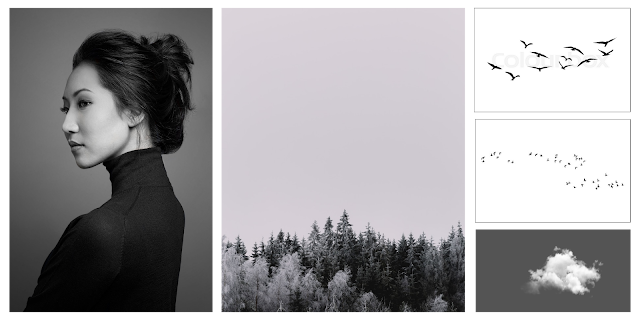
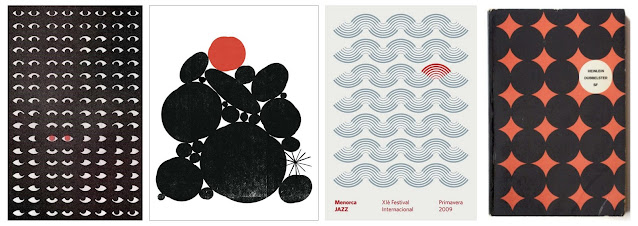
2/12/24 - 23/12/24 (Week 10 - Week 14) Kimberly Miaw Jya Nee | 0366836 Bachelor of Design (Honours) in Creative Media |  Taylor's University Digital Photography & Imaging Project 4: Self-Titled (30%) [Table of Contents] 1. Idea Development 2. Design Direction 3. Execution and Post Production 4. Reflection  Idea Development My Biography Fig. 1. My Biography Statement of My Work Fig. 2. Statement of My Work Moodboard (3 Poster Reference) Fig. 3. Reference & Inspiration Pictures From Pinterest  Design Direction Sketch Fig. 4. Sketch Attempt #1 and Sketch Attempt #2 My concept is inspired by the first moodboard picture, w...

Digital Photography & Imaging | Project 2: Poster Design & Digital Imaging

Image
4/10/24 - 28/11/24 (Week 7 - Week 10) Kimberly Miaw Jya Nee | 0366836 Bachelor of Design (Honours) in Creative Media |  Taylor's University Digital Photography & Imaging Project 2: Poster Design & Digital Imaging (40%) [Table of Contents] 1. P2(a): Double Exposure (10%) 2. P2(b): Poster Design (30%) 3. Reflection [P2(a): Double Exposure] Exercise 1 Fig. Double Exposure Exercise 2 Fig. My Double Exposure #1 Fig. My Double Exposure #2 [P2(b): Poster Design] Fig. Final Poster Design Title: The Place Time Stays This poster represents the idea of making our mind a calm and inviting place. Inspired by the quote "You spend a lot of time in your head, make it a nice place to be," it combines dreamy visuals, soft colours, and small details to reflect the importance of peace and self-reflection. It highlights the connection between time and place which encourages us to create a s...

Digital Photography & Imaging | Week 10

Image
25/11/24 (Week 10) Kimberly Miaw Jya Nee | 0366836 Bachelor of Design (Honours) in Creative Media |  Taylor's University Digital Photography & Imaging Week 10 [Lecture & Practical]: After Effects [Lecture] [Practical] After Effects Exercise In this exercise, we were required to create a keyframe animation of a collage that was provided as a Photoshop file. We had to animate the layers using Position (P), Scale (S) & Masking path in Adobe After Effects. 1. Transport the given Photoshop file in After Effects. 2.  Made sure all the layers are named. https://youtube.com/shorts/BXoPFhf8rp0?feature=share Thank You

Digital Photography & Imaging | Project 1: Collage & Digital Imaging

Image
Kimberly Miaw Jya Nee | 0366836 Bachelor of Design (Honours) in Creative Media |  Taylor's University Digital Photography & Imaging Project 1: Exercises - Physical Collage Design & Digital Imaging (20%) [Table of Contents] 1.  P1(a): Physical Collage Design 2.  P1(a): Digital Collage Design 3. P1(b): Hearst Mansion 4. P1(b): Recolouring Black and White 5. Reflection P1(a): Physical Collage Design Fig. 1. Final Physical Collage This collage is a combination of my first two pre-compositions, which is my interpretation of my all-time favourite song, ' Vanilla ’ by Sunset Rollercoaster. P1(a) Digital Collage Design Fig. 2. Edited Final Digital Collage P1(b): Hearst Mansion Shazam Fig. 3. Shazam in Hearst Mansion ...

Digital Photography & Imaging | Week 7

Image
4/11/24 (Week 7) Kimberly Miaw Jya Nee | 0366836 Bachelor of Design (Honours) in Creative Media |  Taylor's University Digital Photography & Imaging Week 7 [Lecture & Practical]: Colour Theory [Lecture] Colour theory is both the science and art of using color. It explains how humans perceive color; and the messages colors communicate artistically and emotionally. RGB Red, Green, Blue Used to display on screens CMYK Cyan, magenta, Yellow, Black primary colours in printing RGB: Additive Colour Mixing Model Colour is created by mixing red, green and blue light sources of various intensities. TVs, screens and projectors use red, green and blue (RGB) as their primary colorus. CMYK: Subtractive Colour Mixing Model Colour is created by the subtraction of light The CMYK colour system is the colour system used for printing Hue, Shade, Tint & Tone Hue The most basic of colour terms and denotes an object’s colour.  ...

Digital Photography & Imaging | Week 6

Image
  28/10/24 (Week 6) Kimberly Miaw Jya Nee | 0366836 Bachelor of Design (Honours) in Creative Media |  Taylor's University Digital Photography & Imaging Week 6 [Lecture & Practical]: Poster Design [Lecture] 7 Principles of Poster Design Emphasis Fig. 1. Emphasis in Design Creating a centred interest (focal point) in an art work, often achieved by colour contrast and by lines which direct the eye to it. Balance and Alignment Fig. 2. Balance and Alignment in Design How you space and place the different elements in a design so they develop a structure and feel organise and connected Contrast Fig. 3. Contrast in Design What people mean when they say a design “pops” It creates space and differences between elements in a design Repetition Fig. 4. Repetition in Design Unifies and strengthens a design Proportion Fig. 5. Proportion in Design Visual size and weight of elements in a composition and how they relate to each othe...